About me
Smart table

Smart Table
My Role
Company
Status
When
Industrial & UI/UX lead
NCR
Proof of Concept
2020
Problem
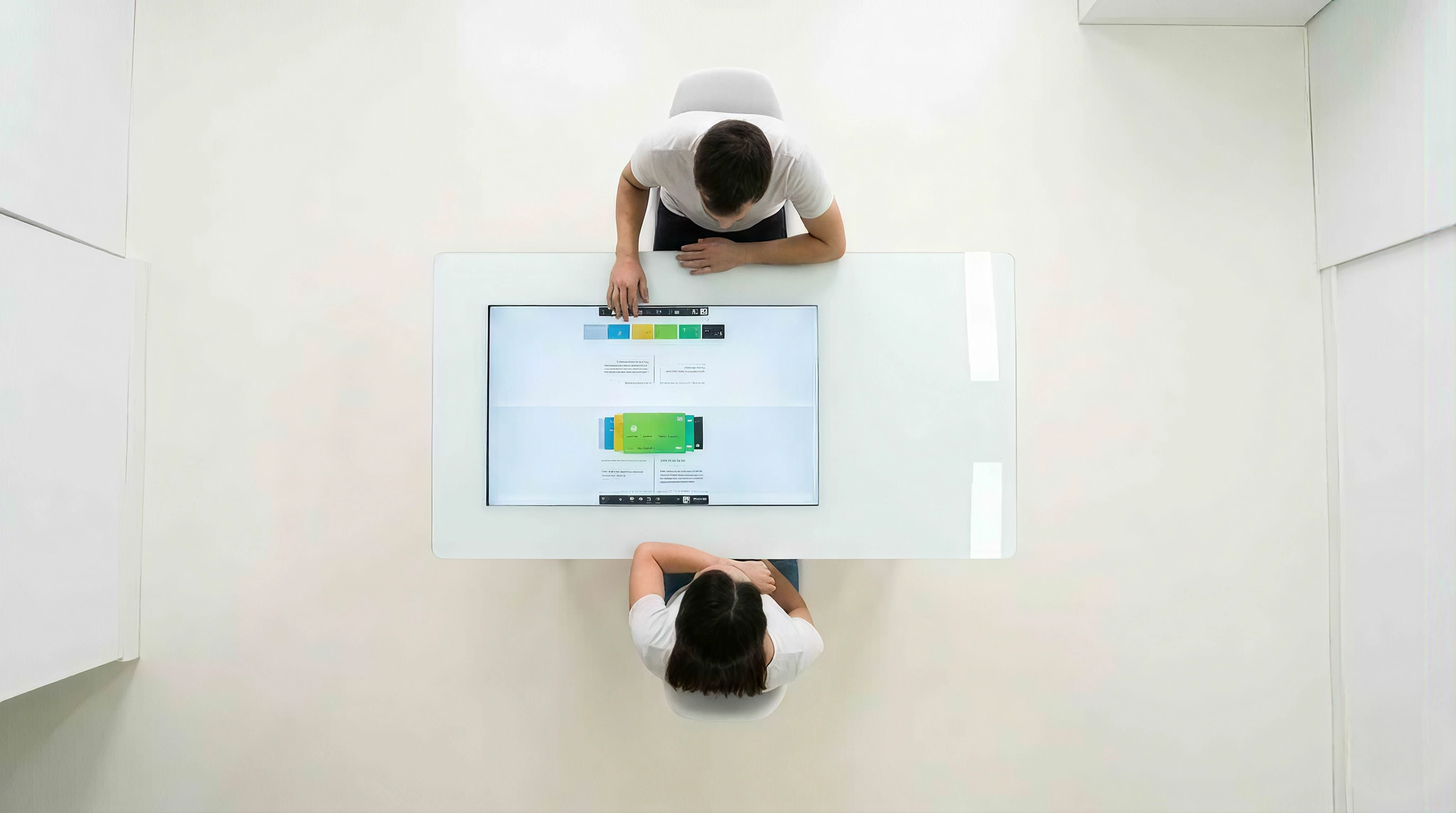
Today’s banker experience is not engaging and creates a lack of transparency. Often bankers would look at their monitors which is angled away from the customers view, creating a barrier where collaboration and trust are key.
Solution
A smart table with integrated display and NFC readers which lets staff lock in and customers identify themselves. The screen can be operated in 3 different modes from self- to assisted- to full service modes.
The process
Observation
We have spent time in branches observing staff and customer behaviors during which we have noticed the banker/customer interaction.
The bank is all about collaboration and inclusiveness, though the customer experience does not reflect that.

Ideation
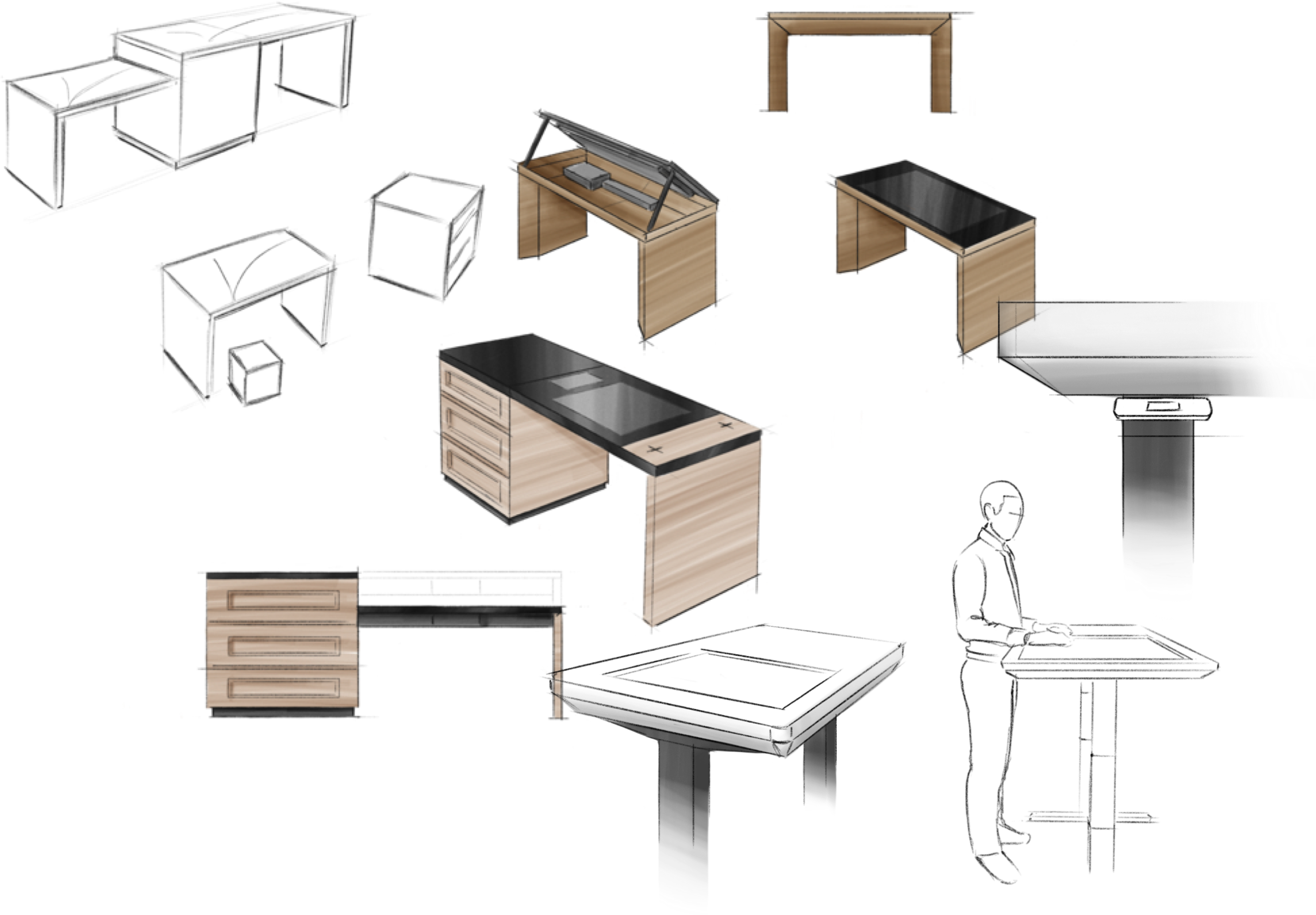
A stand-up and sit-down position for a flexible deployment.
The look and feel does not stand out as a piece of tech, but rather integrates into the branch furniture.
Collaboration
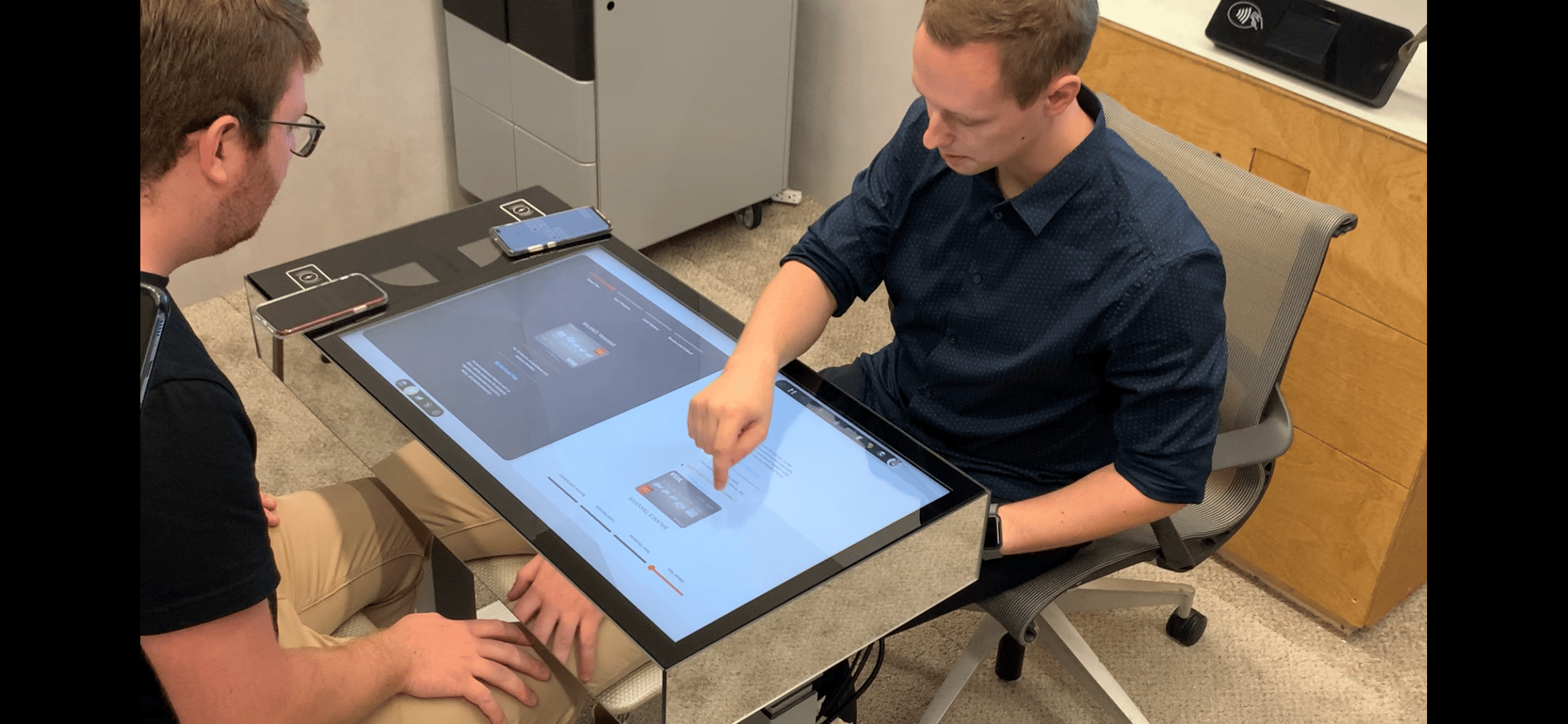
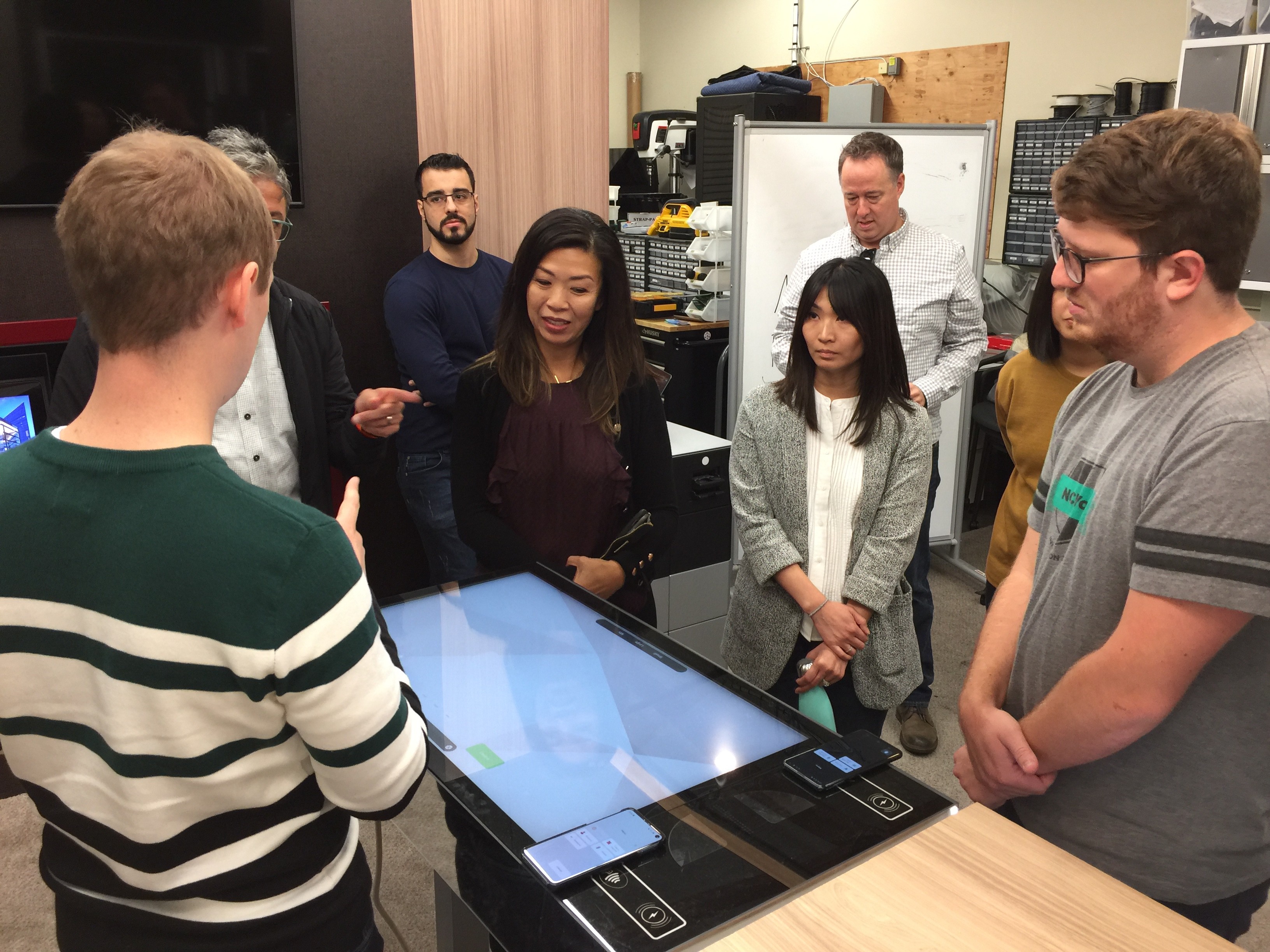
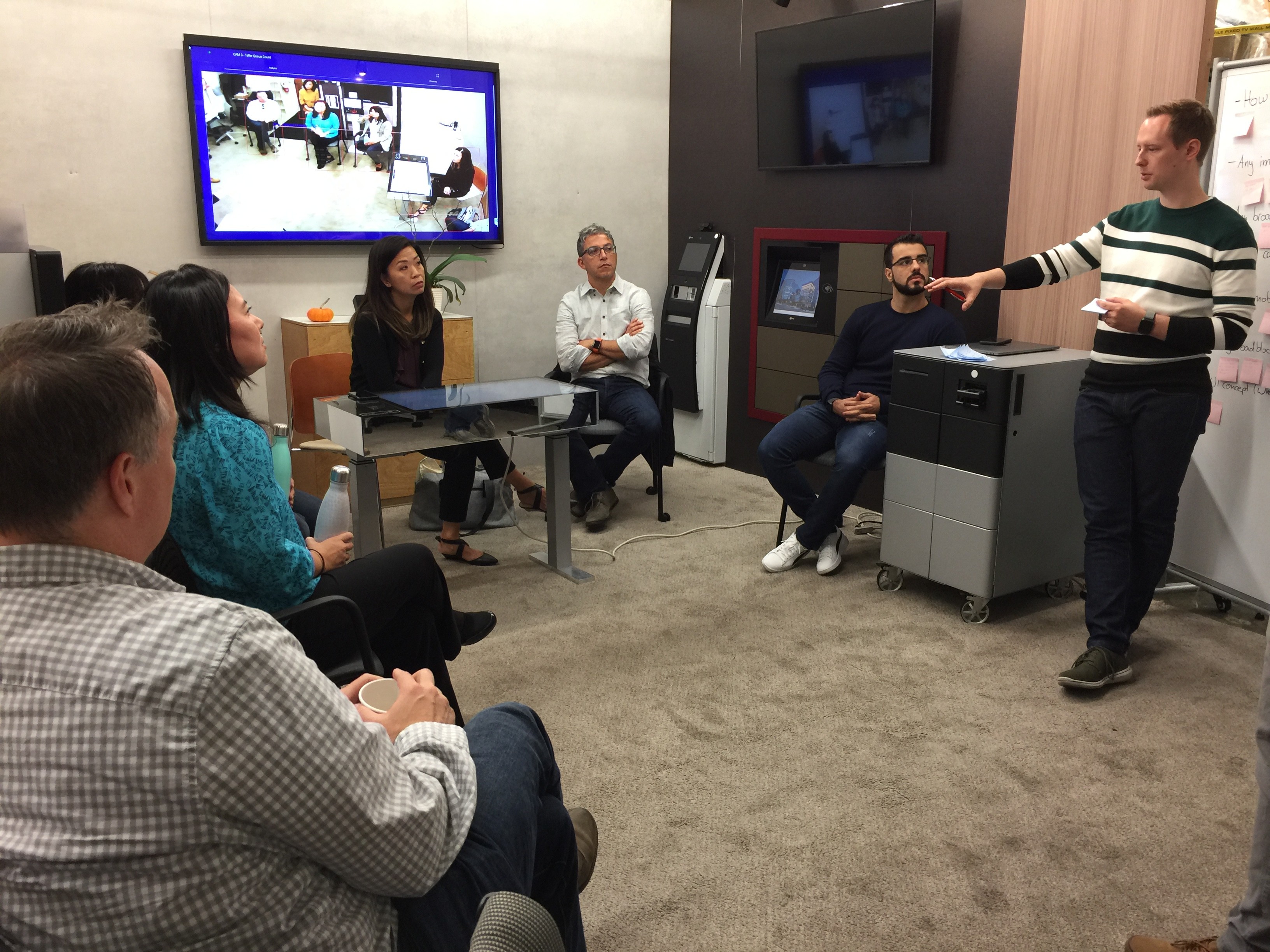
We built and iterated on our ideas then gathered valuable feedback during the
many demos we gave to a wide variety of stake holders.
Prototyping
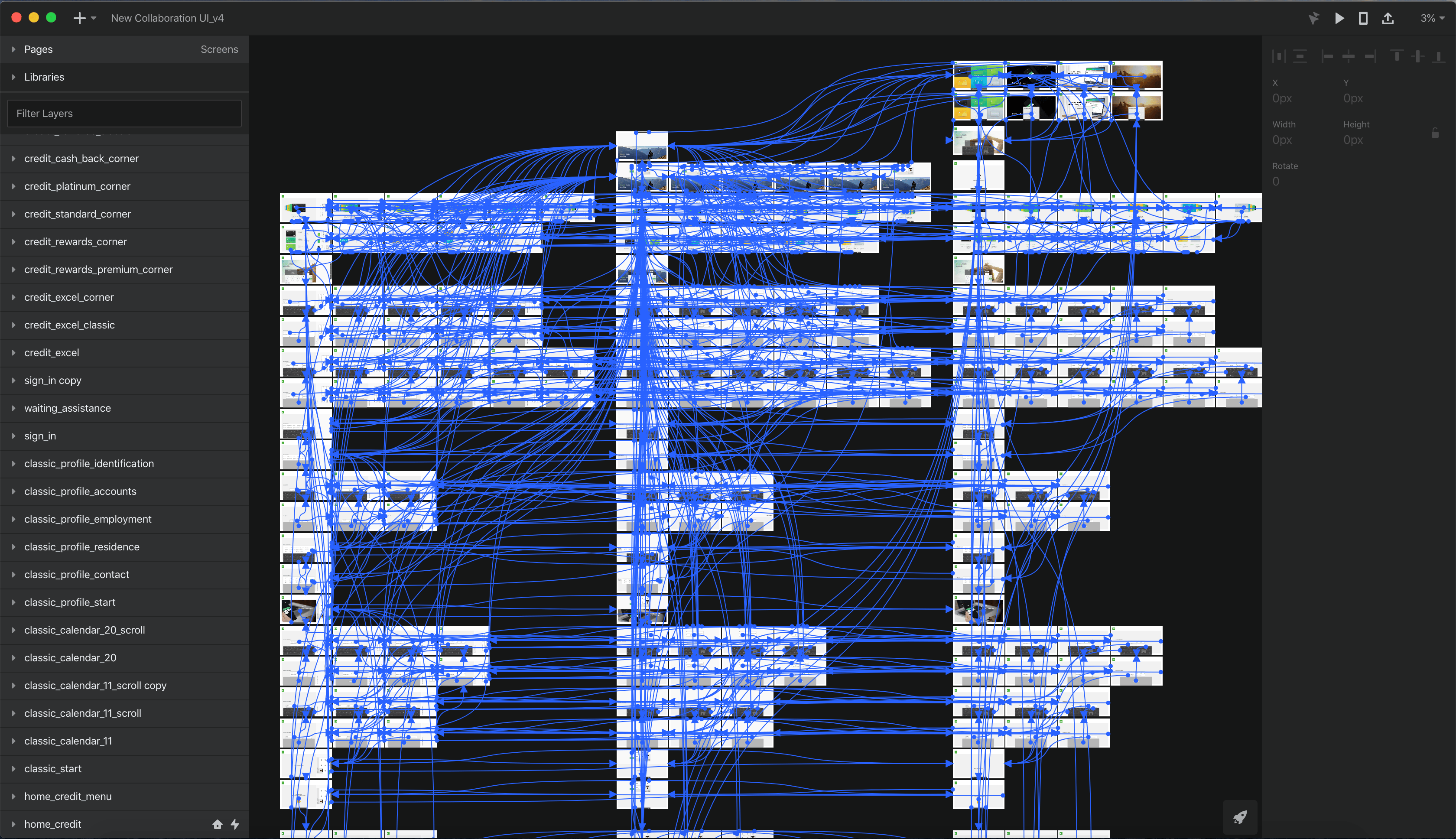
I created the screens in Sketch and animated them with InVision Studio. This allowed us to use it during user feedback sessions.
The outcome
Flexibility
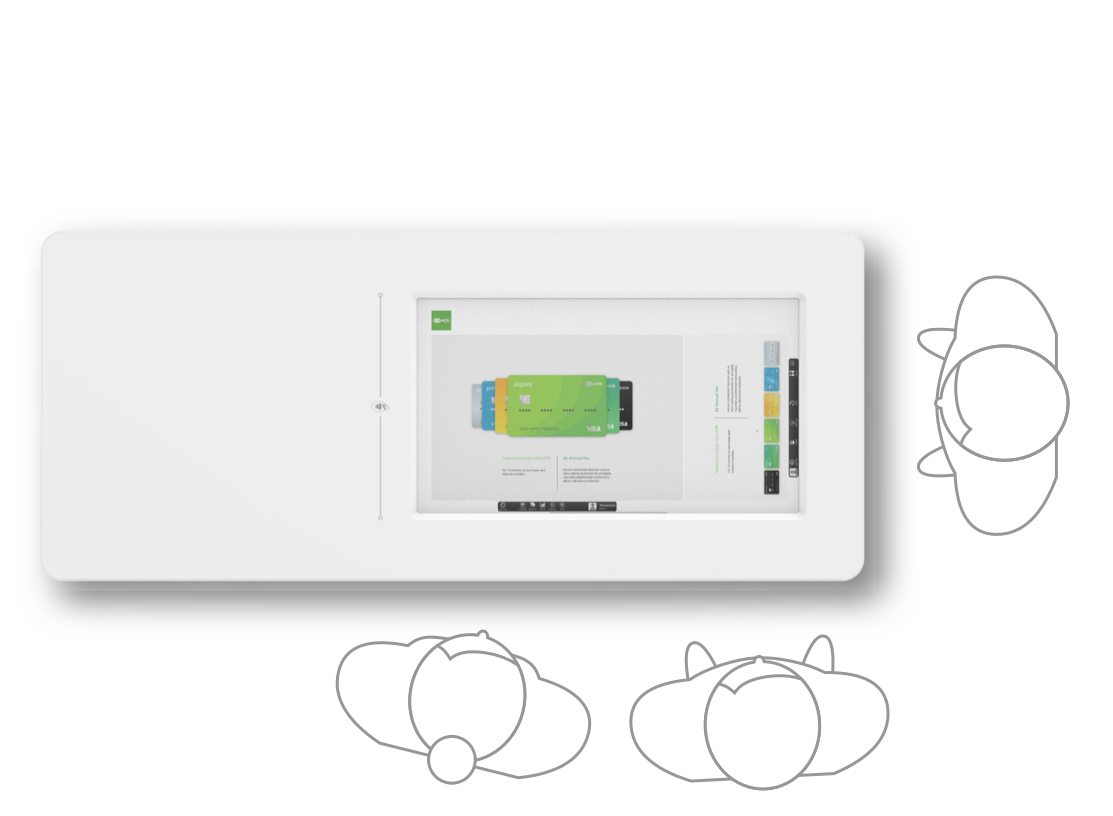
The UI adapts to the different ways users interact with the device.
Whether a customer is shopping for a product self-service, opening an account, reviewing prodcuts and options in a traditional face-to-face interaction or if a team member assists in a casual shoulder-to-shoulder fashion.
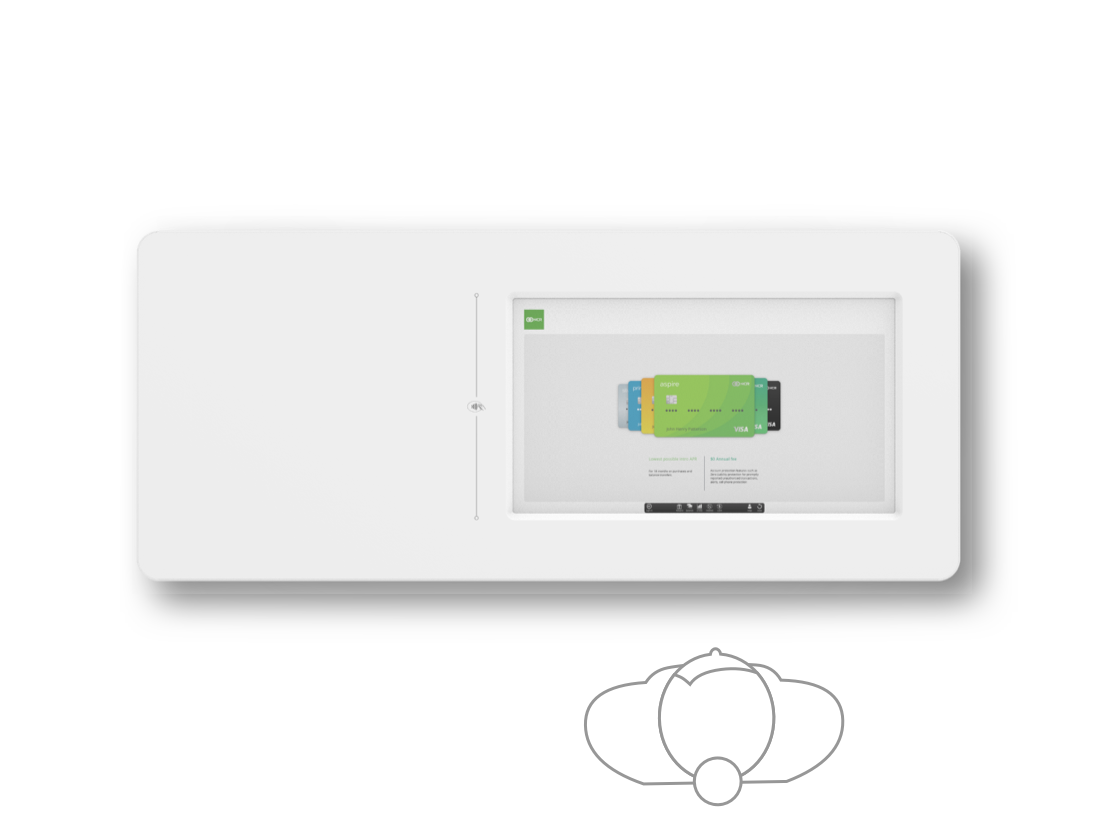
Self Service
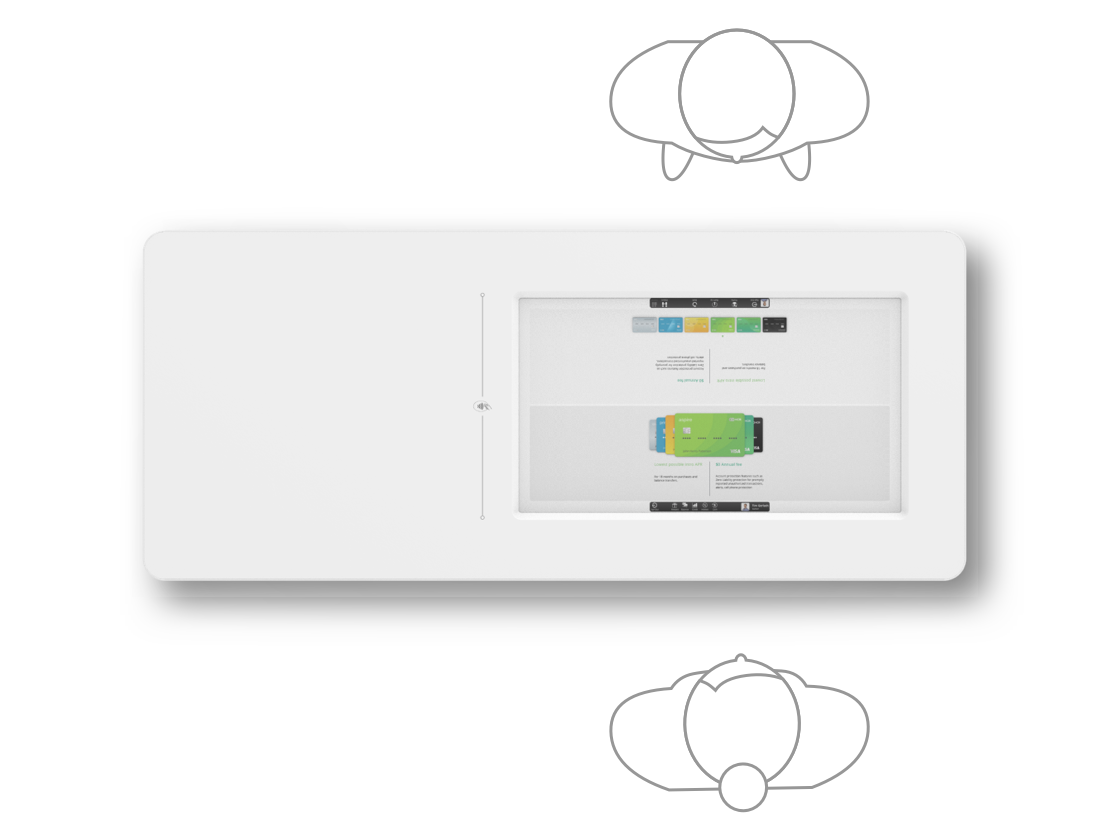
Traditional Service
Casual Service
UI / UX
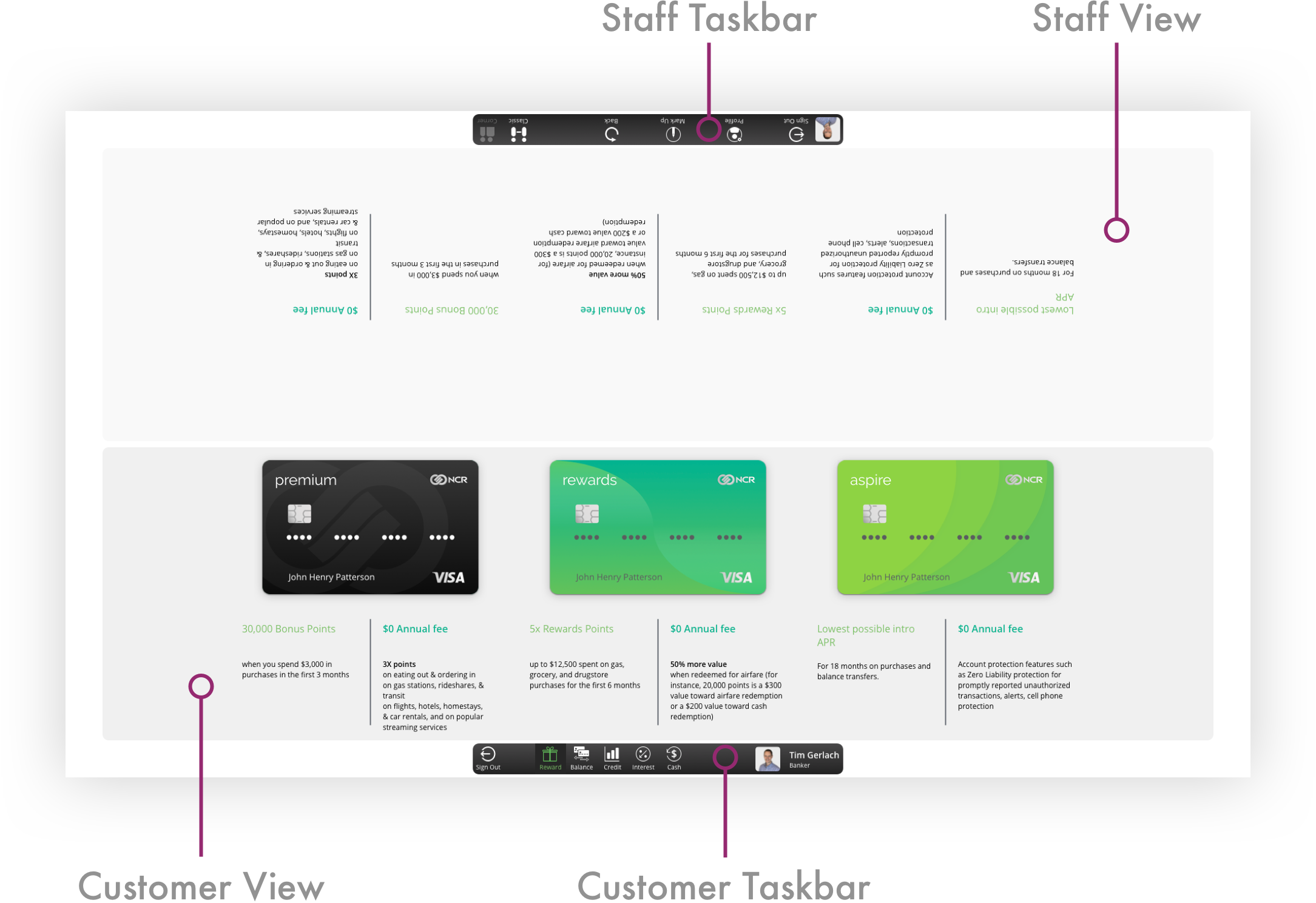
Customers and staff members have their own set of tools depending on the menu.
Staff can highlight and mark information in real time.
Privacy
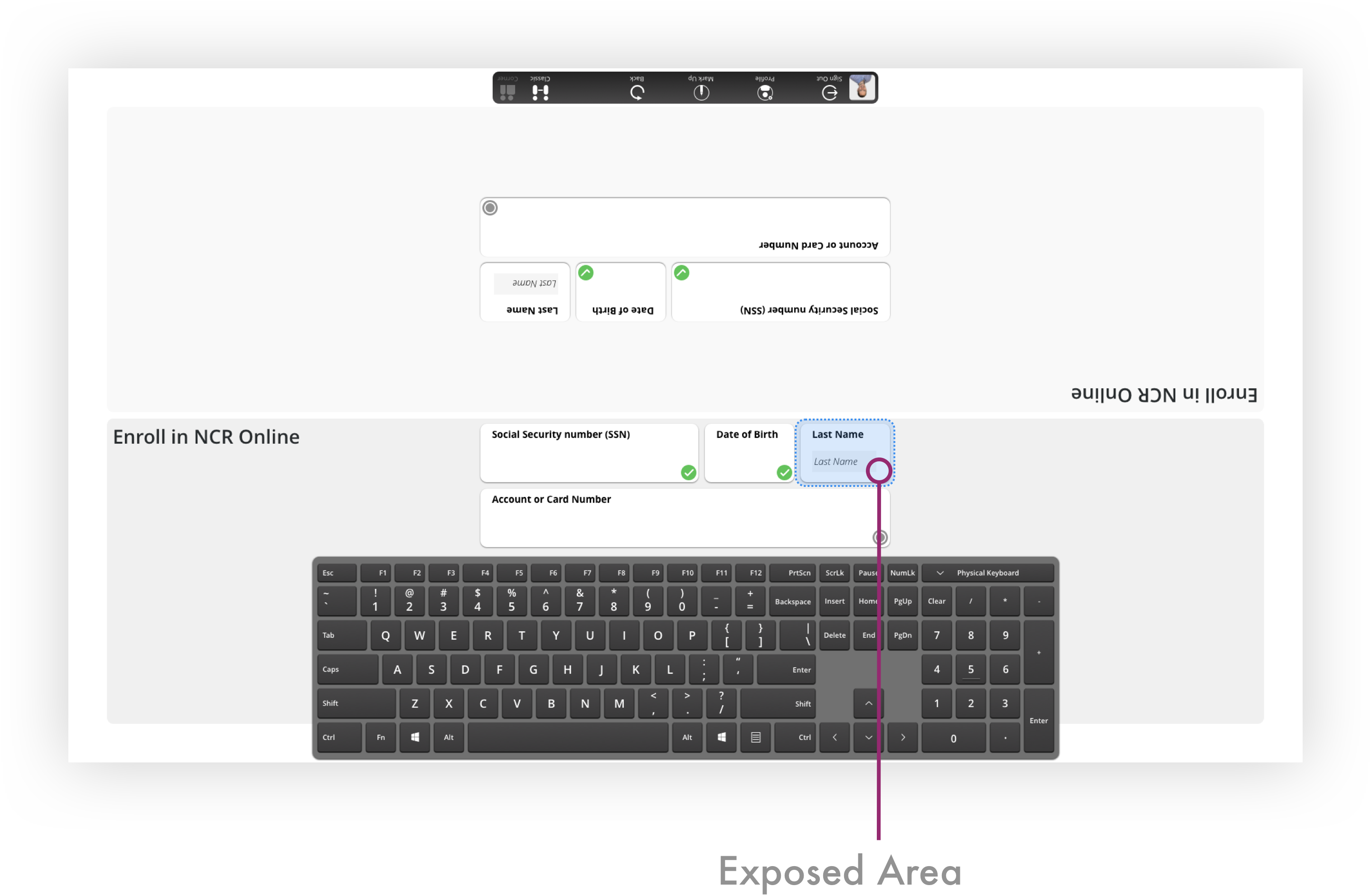
Only relevant information is being displayed and only for the time needed. Everything else is being hidden unless tapped on.
This minimizes the physical sensitive data area at all times.

Key learnings
- Cross team and company collaborations
- Blended hardware and software experience
- The best discussions and learnigs come

Tim Gerlach
+1 (843) 617 0288

About me
Smart table
Smart Table
My Role
Company
Status
When
Industrial & UI/UX lead
NCR
Proof of Concept
2020
Problem
Today’s banker experience is not engaging and creates a lack of transparency. Often bankers would look at their monitors which is angled away from the customers view, creating a barrier where collaboration and trust are key.
Solution
A smart table with integrated display and NFC readers which lets staff lock in and customers identify themselves. The screen can be operated in 3 different modes from self- to assisted- to full service modes.
The process
Observation
We have spent time in branches observing staff and customer behaviors during which we have noticed the banker/customer interaction.
The bank is all about collaboration and inclusiveness, though the customer experience does not reflect that.
Ideation
A stand-up and sit-down position for a flexible deployment.
The look and feel does not stand out as a piece of tech, but rather integrates into the branch furniture.
Collaboration
We built and iterated on our ideas then gathered valuable feedback during the
many demos we gave to a wide variety of stake holders.
Prototyping
I created the screens in Sketch and animated them with InVision Studio. This allowed us to use it during user feedback sessions.
The outcome
Flexibility
The UI adapts to the different ways users interact with the device.
Whether a customer is shopping for a product self-service, opening an account, reviewing prodcuts and options in a traditional face-to-face interaction or if a team member assists in a casual shoulder-to-shoulder fashion.
Self Service
Traditional Service
Casual Service
UI / UX
Customers and staff members have their own set of tools depending on the menu.
Staff can highlight and mark information in real time.
Privacy
Only relevant information is being displayed and only for the time needed. Everything else is being hidden unless tapped on.
This minimizes the physical sensitive data area at all times.
Key learnings
- Cross team and company collaborations
- Blended hardware and software experience
- Finding common ground and focus on the bigger picture

Tim Gerlach
+1 (843) 617 0288

About me
Smart table
Smart Table
My Role
Company
Status
When
Industrial & UI/UX lead
NCR
Proof of Concept
2020
Problem
Today’s banker experience is not engaging and creates a lack of transparency. Often bankers would look at their monitors which is angled away from the customers view, creating a barrier where collaboration and trust are key.
Solution
A smart table with integrated display and NFC readers which lets staff lock in and customers identify themselves. The screen can be operated in 3 different modes from self- to assisted- to full service modes.
The process
Observation
We have spent time in branches observing staff and customer behaviors during which we have noticed the banker/customer interaction.
The bank is all about collaboration and inclusiveness, though the customer experience does not reflect that.
Ideation
A stand-up and sit-down position for a flexible deployment.
The look and feel does not stand out as a piece of tech, but rather integrates into the branch furniture.
Collaboration
We built and iterated on our ideas then gathered valuable feedback during the
many demos we gave to a wide variety of stake holders.
Prototyping
I created the screens in Sketch and animated them with InVision Studio. This allowed us to use it during user feedback sessions.
The outcome
Flexibility
The UI adapts to the different ways users interact with the device.
Whether a customer is shopping for a product self-service, opening an account, reviewing prodcuts and options in a traditional face-to-face interaction or if a team member assists in a casual shoulder-to-shoulder fashion.
Self Service
Traditional Service
Casual Service
UI / UX
Customers and staff members have their own set of tools depending on the menu.
Staff can highlight and mark information in real time.
Privacy
Only relevant information is being displayed and only for the time needed. Everything else is being hidden unless tapped on.
This minimizes the physical sensitive data area at all times.
Key learnings
- Cross team and company collaborations
- Blended hardware and software experience
- Finding common ground and focus on the bigger picture

Tim Gerlach
+1 (843) 617 0288

About me
Smart table
Smart Table
My Role
Company
Status
When
Industrial & UI/UX lead
NCR
Proof of Concept
2020
Problem
Today’s banker experience is not engaging and creates a lack of transparency. Often bankers would look at their monitors which is angled away from the customers view, creating a barrier where collaboration and trust are key.
Solution
A smart table with integrated display and NFC readers which lets staff lock in and customers identify themselves. The screen can be operated in 3 different modes from self- to assisted- to full service modes.
The process
Observation
We have spent time in branches observing staff and customer behaviors during which we have noticed the banker/customer interaction.
The bank is all about collaboration and inclusiveness, though the customer experience does not reflect that.
Ideation
A stand-up and sit-down position for a flexible deployment.
The look and feel does not stand out as a piece of tech, but rather integrates into the branch furniture.
Collaboration
We built and iterated on our ideas then gathered valuable feedback during the
many demos we gave to a wide variety of stake holders.
Prototyping
I created the screens in Sketch and animated them with InVision Studio. This allowed us to use it during user feedback sessions.
The outcome
Flexibility
The UI adapts to the different ways users interact with the device.
Whether a customer is shopping for a product self-service, opening an account, reviewing prodcuts and options in a traditional face-to-face interaction or if a team member assists in a casual shoulder-to-shoulder fashion.
Self Service
Traditional Service
Casual Service
UI / UX
Customers and staff members have their own set of tools depending on the menu.
Staff can highlight and mark information in real time.
Privacy
Only relevant information is being displayed and only for the time needed. Everything else is being hidden unless tapped on.
This minimizes the physical sensitive data area at all times.
Key learnings
- Cross team and company collaborations
- Blended hardware and software experience
- The best discussions and learnings happen when users and stakeholders get the hands on an idea and start exploring
Tim Gerlach
+1 (843) 617 0288